Problem
Bob’s needed a better way to keep and review Google Search Console data over time. The team wanted a more practical internal workflow for preserving search history, reviewing longer-term trends, and understanding which pages were gaining or losing visibility.
Google Search Console is powerful, but it assumes a user who already understands clicks, impressions, CTR, average position, queries, URLs, and date comparisons. For broader internal teams, that level of reporting detail can make the work slower. People may know something changed, but not where to look, which metric matters, or which page should get attention first.
The design problem was not “make a nicer dashboard.” It was: how do we help internal users review search performance, identify priority URLs, and ask better follow-up questions without forcing them to think like technical SEO analysts?
Constraints
The work happened over a two-month timeline and required both design and front-end execution. I had to move quickly while still making the dashboard readable, stable, and realistic to maintain.
The first constraint was density. Search data becomes overwhelming fast: URLs, clicks, impressions, CTR, position, filters, labels, date ranges, comparison modes, and daily records can all compete for attention. If the dashboard exposed everything at once, it would technically contain the right data but still fail the user.
Performance became the next constraint. The first implementation tried to load too much data into the browser and server, which crashed both. That made performance part of the product experience, not just an engineering issue. Users cannot trust an analytics tool that freezes before they can finish a review.
The data model also shaped the product. Raw Search Console records are time-based, so QuestDB handled the heavier historical search dataset. SQLite handled lighter persistence such as users, sessions, tracked URLs, labels, schedules, and saved chat history. Most of that stayed behind the interface, but the separation mattered because the product had to support both long-term analytics and day-to-day dashboard state.
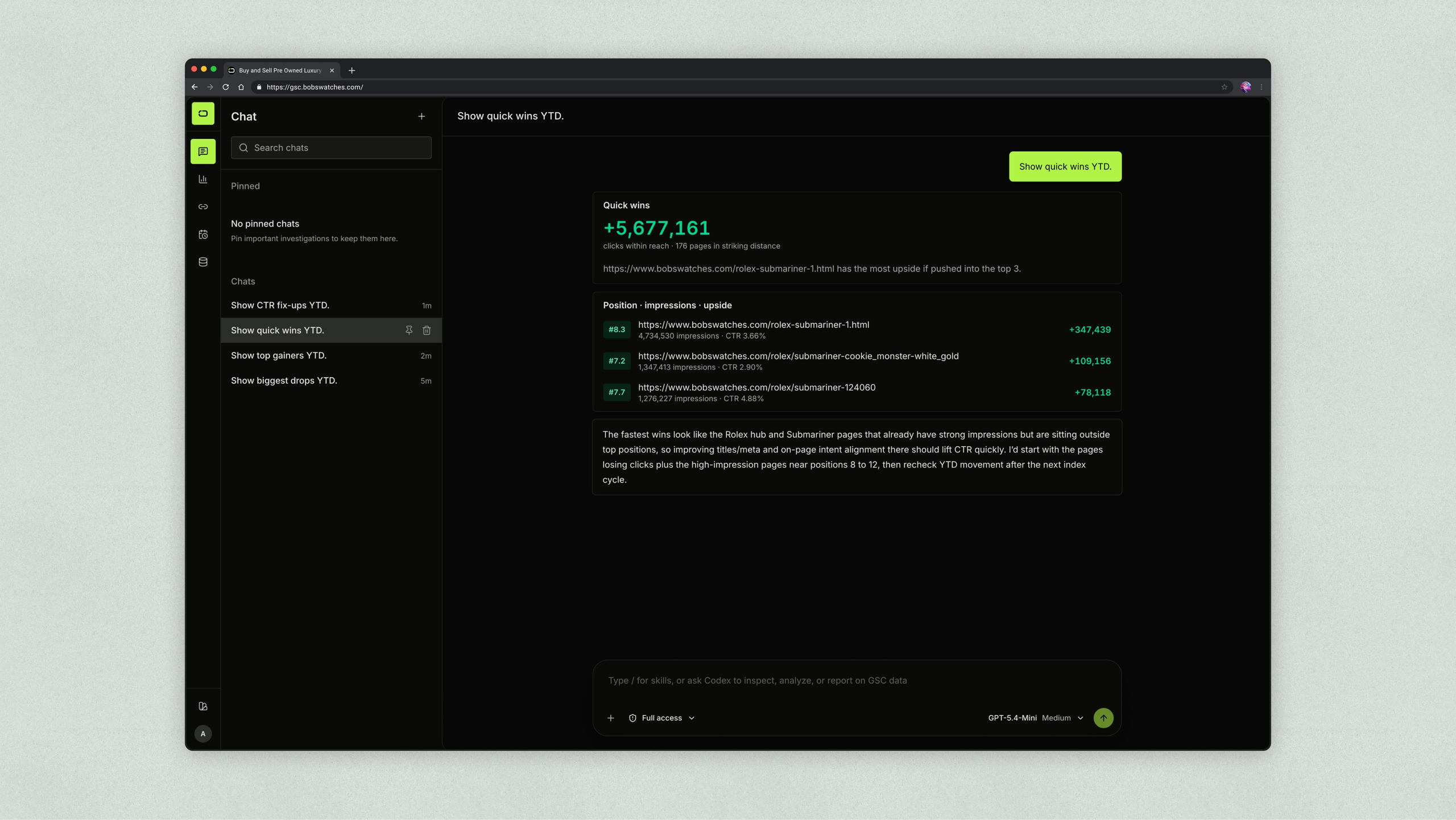
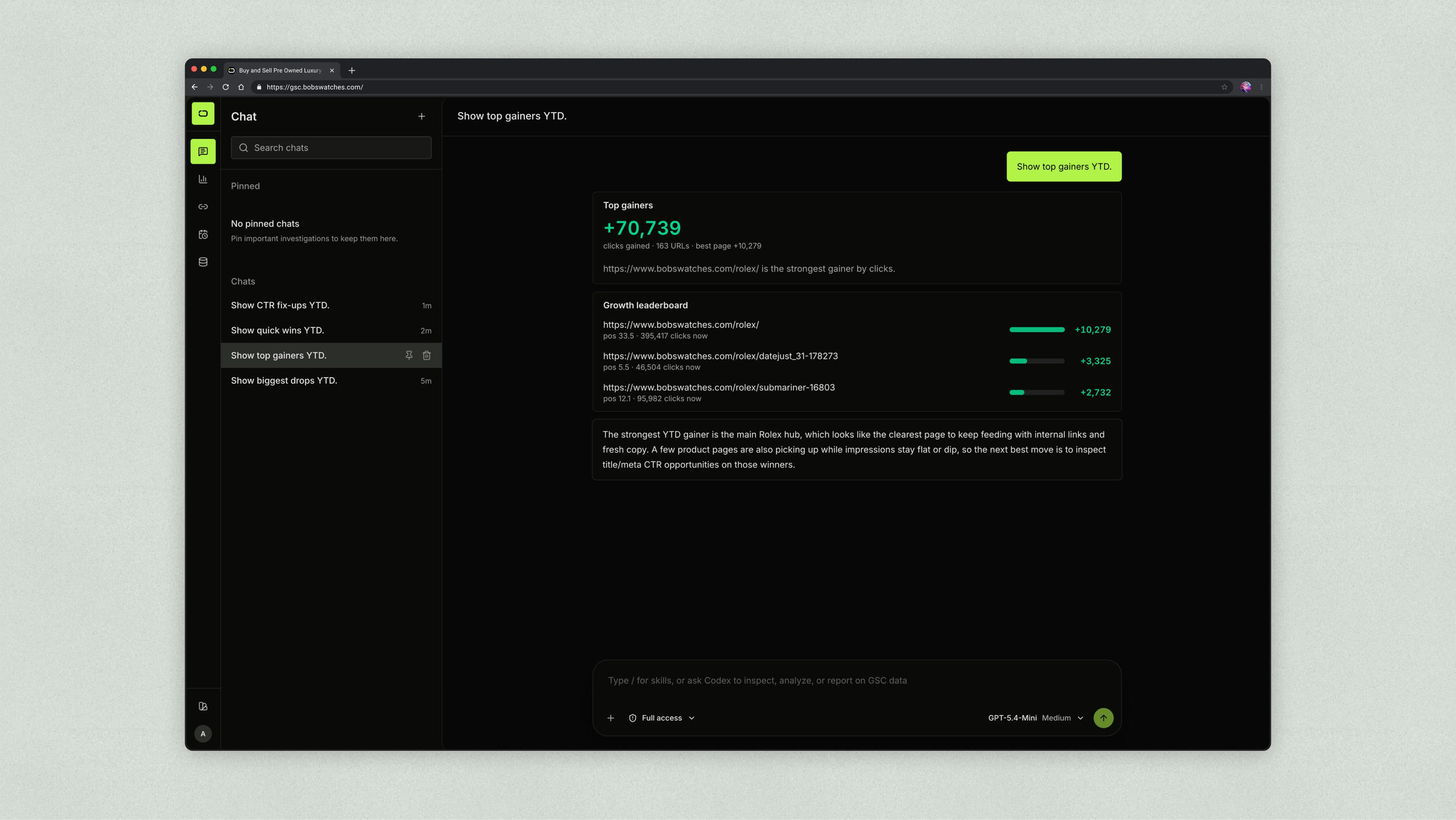
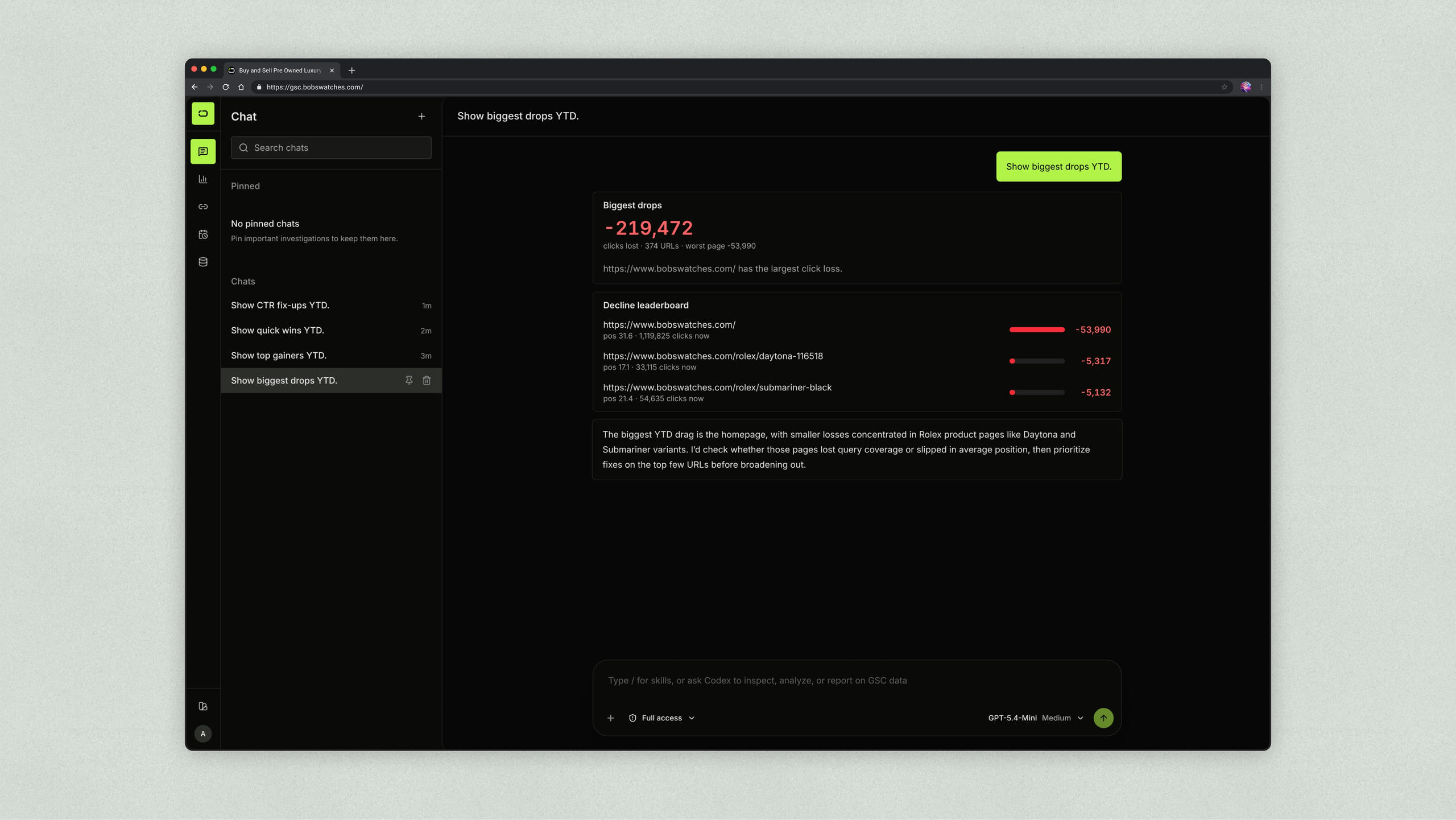
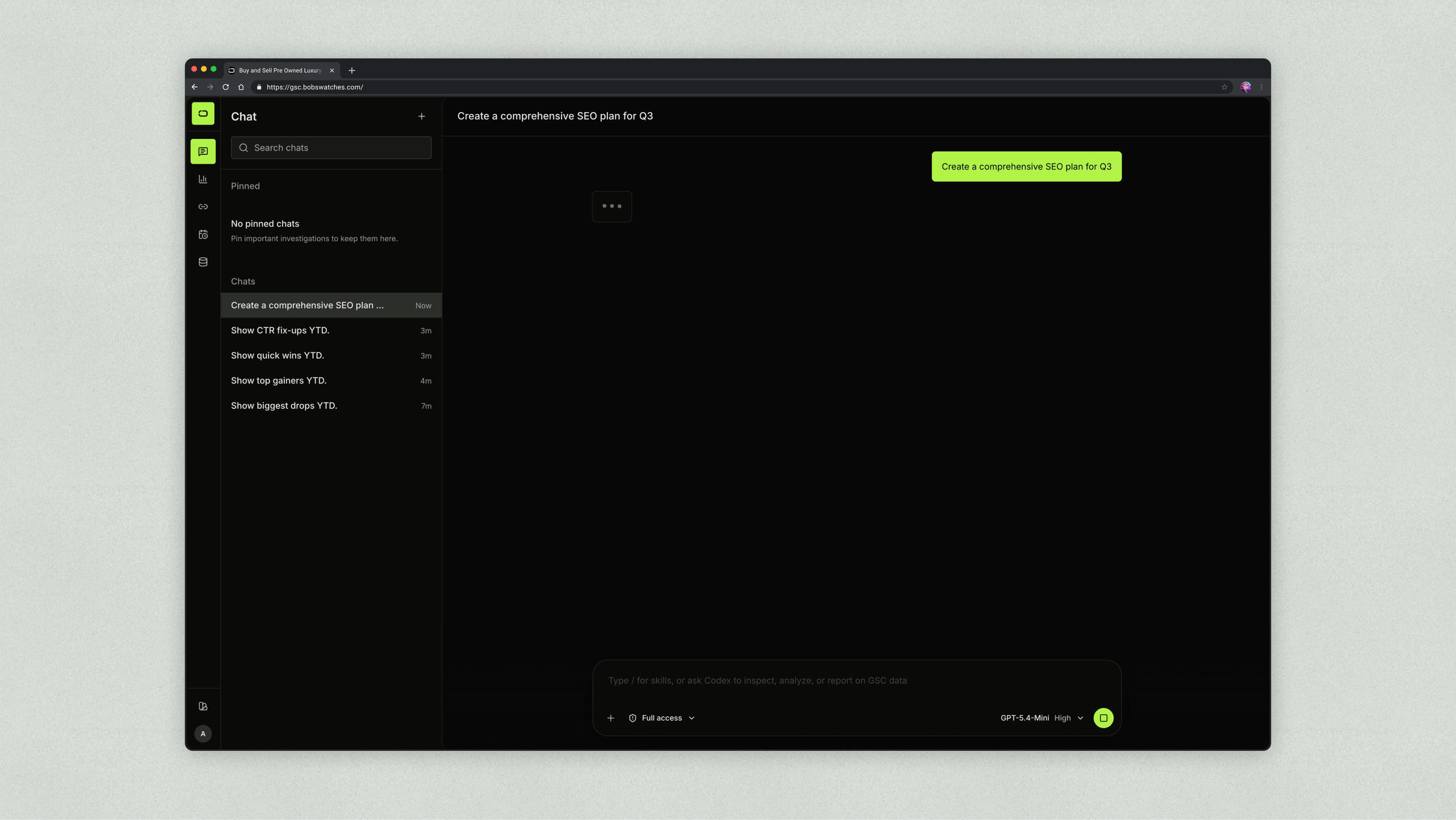
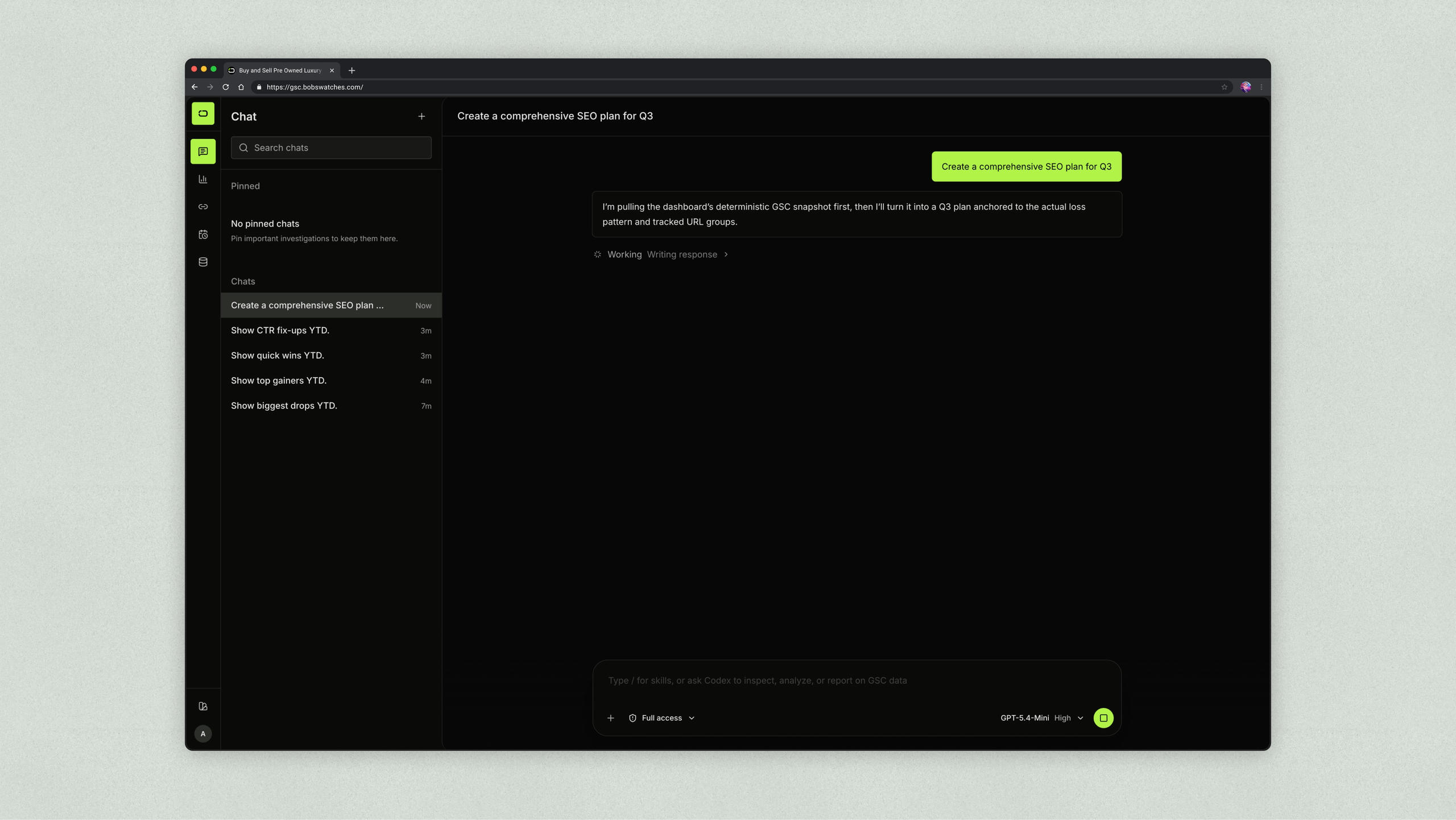
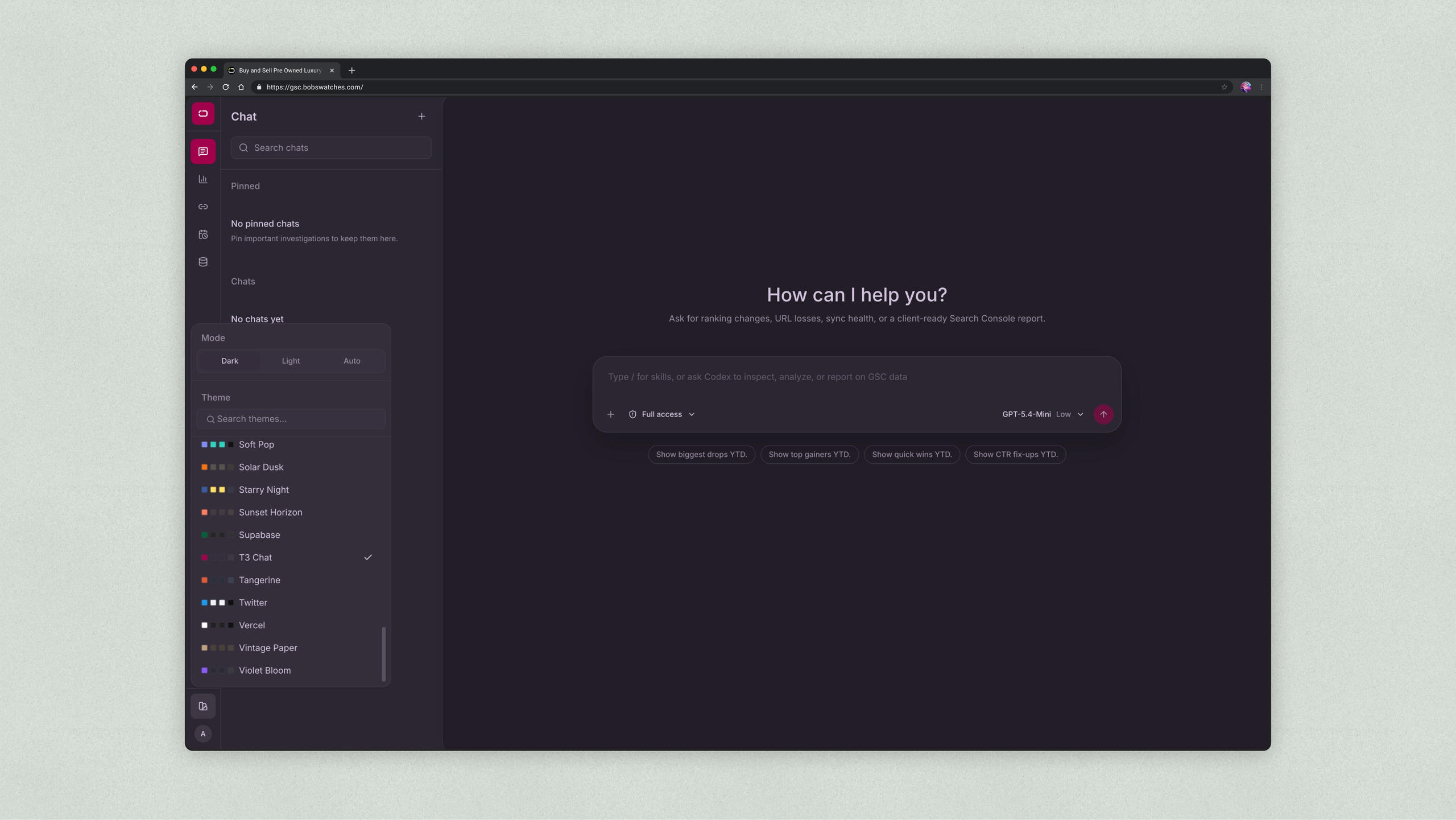
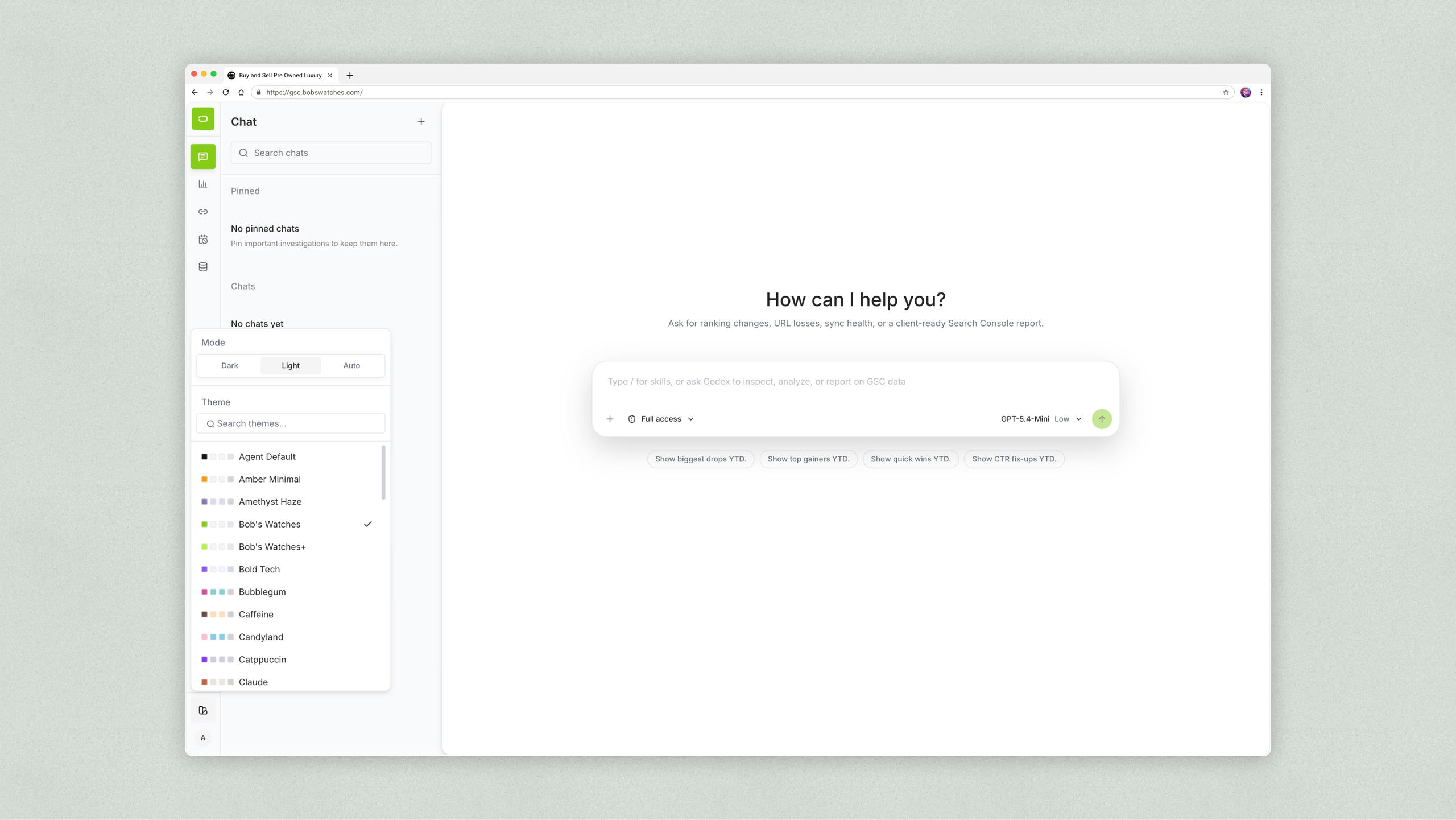
The final constraint was the Codex workflow. The AI experience needed to work through the team’s existing subscription login, which made Codex the practical foundation for guided analysis. But Codex CLI was not appropriate as the user-facing experience, and at the time, Codex Desktop support on Windows was not strong enough for the team’s workflow. I used ACP to design a custom chat surface inside the dashboard so users could run real review tasks: traffic losses, weekly reports, sync health, URL opportunities, quick wins, and CTR fix-ups. Codex also made it possible to install project-specific skills, turning repeated SEO analysis into reusable workflows instead of one-off prompts.
Product Direction & Decisions
The project began as a dashboard-only approach. A clearer interface would make GSC data easier to review, but the team would still need to manually compare results and investigate changes. I advocated for AI-assisted analysis to reduce that complexity and repetitive work, expanding the focus from presenting data more clearly to helping the team interpret it.
When planning the AI implementation, we initially considered third-party services or OpenAI’s API. I advocated for using our existing subscription instead, making better use of a tool the team already paid for rather than introducing separate API billing. With that approach established, I focused on how the dashboard and AI could work together through the interaction patterns, review workflows, and performance decisions below.
- I designed around trend comprehension before metric completeness.
The dashboard needed to answer “what changed?” before asking users to inspect rows. Summary metrics, date ranges, comparison modes, and graphs came before dense URL details. This made the product easier to scan for people who needed direction first and depth second. - I treated tracked URLs as a working list, not a static report.
The URL surface became a review workflow. Users could add URLs, label pages, mark status, filter by performance, compare time windows, and expand rows to inspect SEO health trends and daily breakdowns. That changed the table from a data dump into a decision surface. - I turned Codex into a guided product surface, not just a chat box using ACP
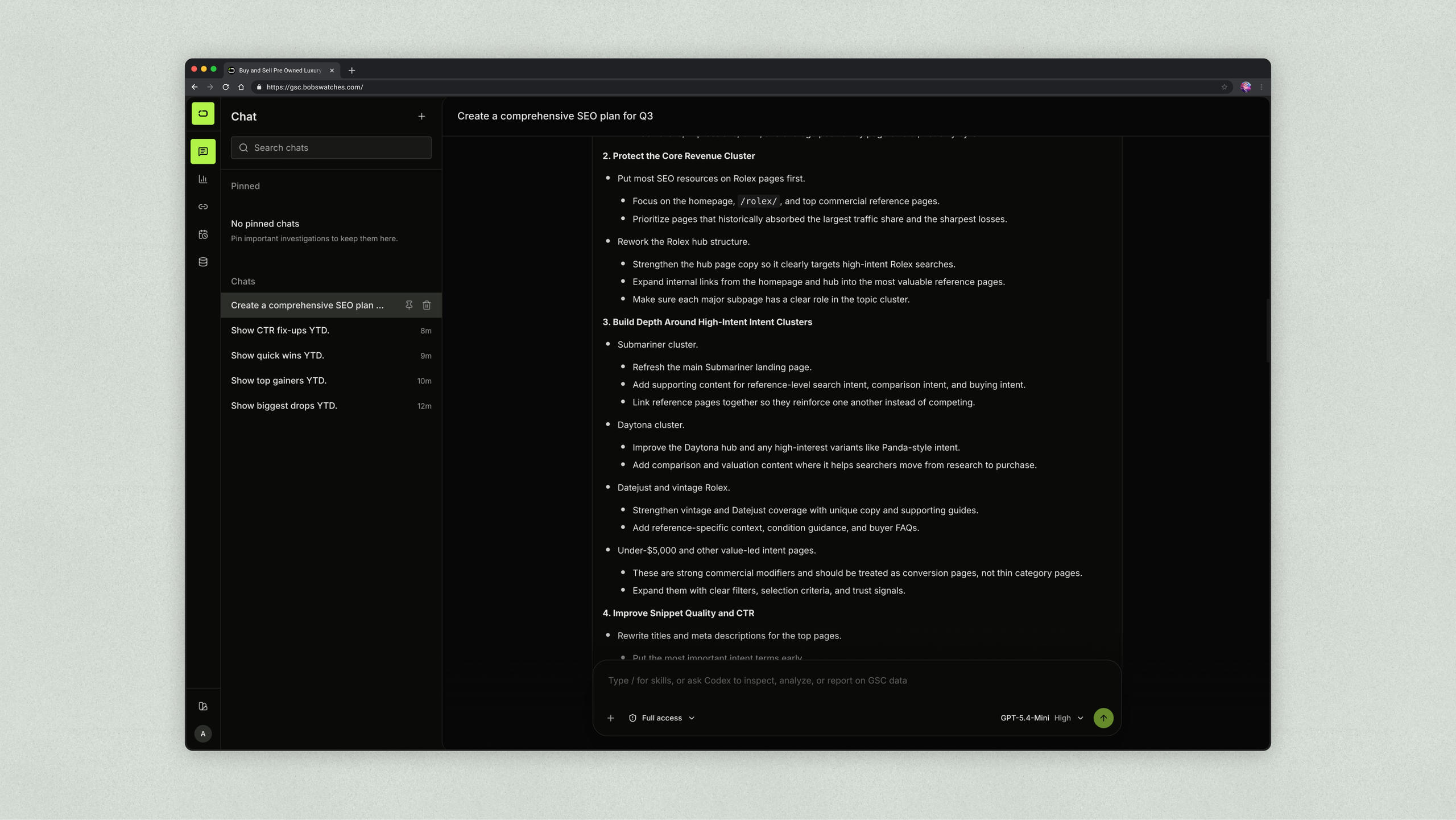
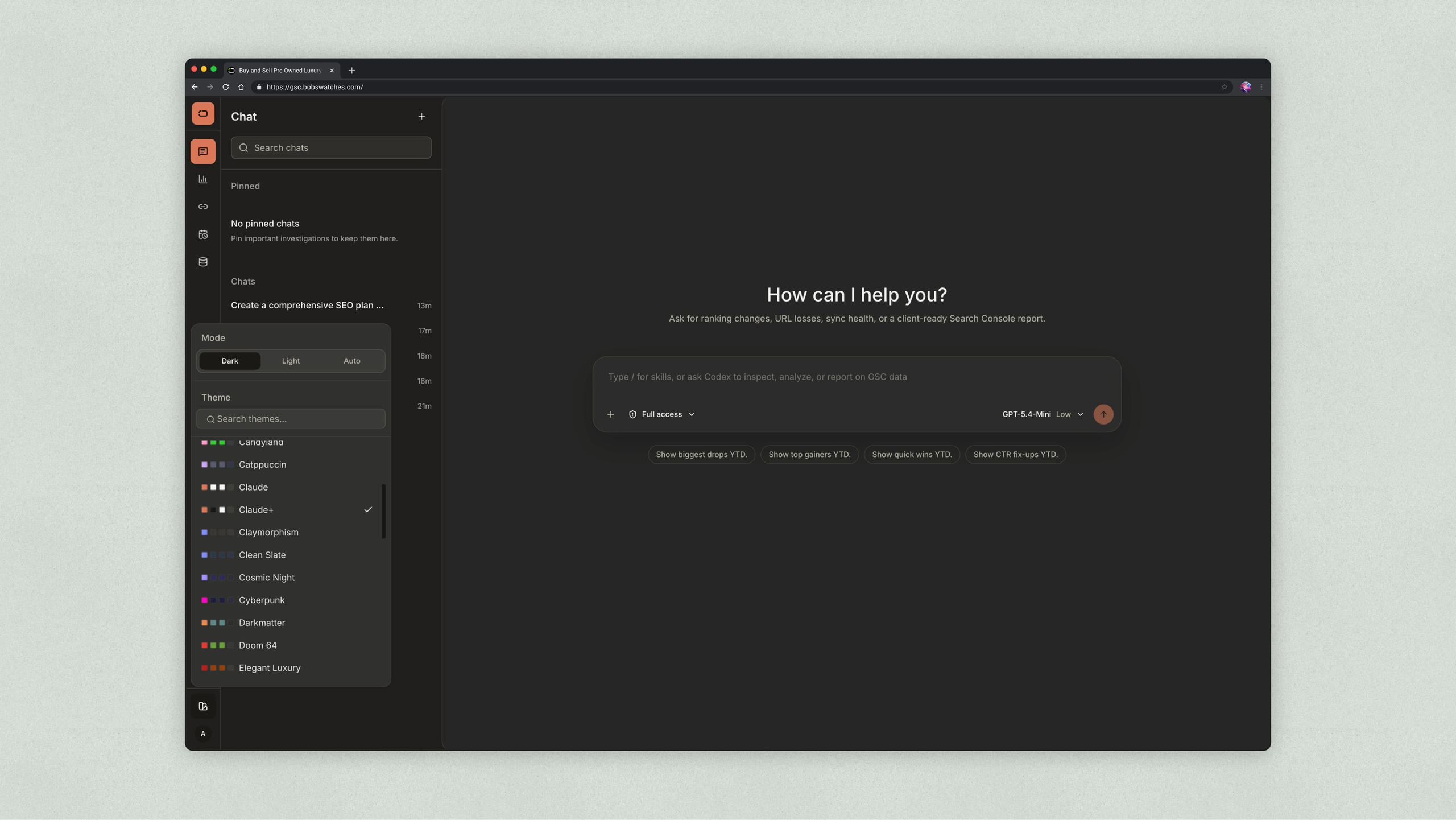
The product needed AI-assisted analysis, but a CLI-style interaction was not the right user experience for internal search review. I used ACP to shape a custom chat UI around common review tasks like biggest drops, top gainers, quick wins, CTR fix-ups, weekly reports, and sync health. Codex skills made those tasks repeatable instead of relying on users to write a good prompt every time. - I made performance part of the design requirement.
After the initial version crashed, I redesigned the experience around limited loading, memoization, lazy loading, skeleton states, and progressive detail. These were not just engineering optimizations. They protected user trust and made the dashboard feel usable with a larger dataset. - I used familiar UI patterns to move faster without making the product generic.
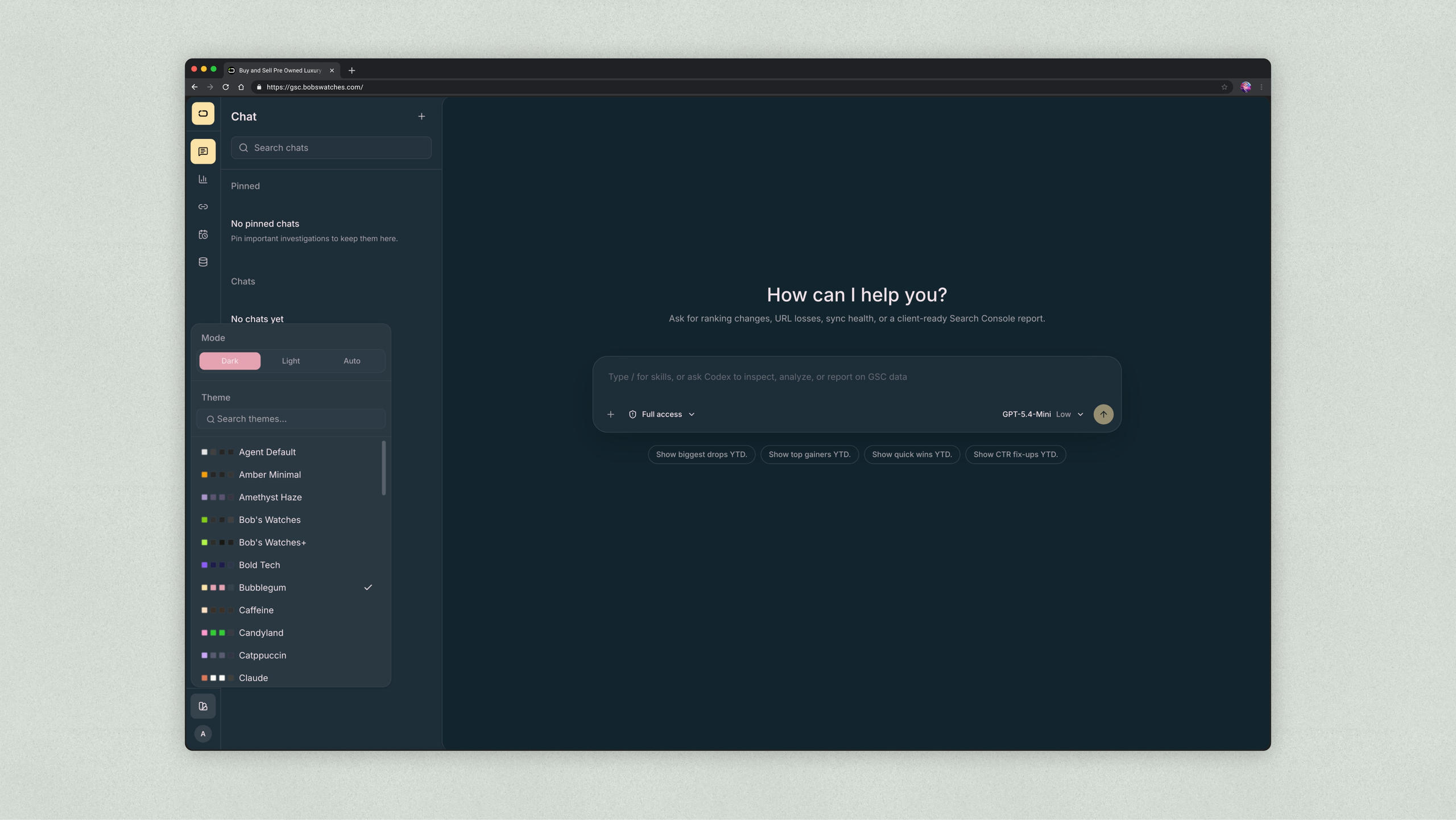
shadcn/ui and a shadcn Figma library helped speed up the interface work. The time saved on basic components went into the product-specific parts of the experience: hierarchy, filters, loading states, dashboard rhythm, and the Codex-guided review model.
Solution
The final product centered on a progressive review workflow. Users could start with high-level performance signals, move into URL-level detail, and use Codex-guided analysis when they needed help interpreting what changed.
The dashboard opened with digestible trend signals instead of raw data. Summary metrics and comparison views helped users understand direction: whether clicks, impressions, CTR, or position were improving, declining, or flat. The visual hierarchy stayed restrained because the data was already complex. Every metric could not look equally urgent.
The URL review surface carried most of the operational work. Each tracked URL could be reviewed with labels, status, active/inactive state, performance filters, and date comparisons. When users needed more detail, they could expand a row to see the SEO health trend and daily breakdown. That kept the default view scannable while still making deeper analysis available.
The Codex-guided analysis surface added a more directed way to work with the data. Instead of asking users to manually scan every table row or start from a blank prompt, the product offered task-based starting points around common SEO questions: which pages dropped, which pages gained, which pages looked like quick wins, and whether the latest data sync was healthy. A2UI and AG-UI patterns helped turn those responses into structured cards, summaries, recommendations, timelines, and tables rather than long prose.
Behind the scenes, the dashboard supported scheduled data freshness, Docker-based setup, and admin maintenance like backup and restore. Those details stayed mostly out of the user’s way, but they mattered because the product needed to behave like a usable internal tool, not a one-off visualization.
Impact
The clearest outcome was turning an unstable, data-heavy build into a usable internal search review tool. The first version crashed under load. After the performance pass, the dashboard loaded more responsibly, large URL sets were easier to review, and waiting states were clearer.
The project gave Bob’s a more practical way to preserve and revisit historical search performance. Instead of relying on users to interpret Search Console directly, the dashboard gave them a focused review surface: trend signals, URL-level status, filters, labels, comparison windows, and Codex-guided analysis.
The product also shifted search review from a loose reporting task into a repeatable workflow: identify movement, inspect affected URLs, ask guided follow-up questions, and decide what needs attention.
I did not have post-launch quantitative metrics, so I would not claim a measured lift in adoption, speed, SEO performance, or revenue. The impact I can support is product and workflow impact: the dashboard became more stable, easier to scan, and better structured around how internal users review search performance.
Reflection
This project reinforced that internal tools still need strong product design. The value was not just connecting to search data or displaying more charts. The value was deciding what users should see first, what could wait, and how to help them move from performance signals to action.
If I continued the project, I would measure dashboard load time, table interaction, most-used filters, common Codex skill usage, and whether users could identify priority URLs faster. I would also improve onboarding around Google permissions and setup, since access configuration was one of the earliest sources of friction.
The next version would focus less on adding more data and more on sharpening the review loop: clearer priority scoring, better saved views, and a stronger handoff from Codex analysis into the URL workflow.